 Pen Friend
Ask the page
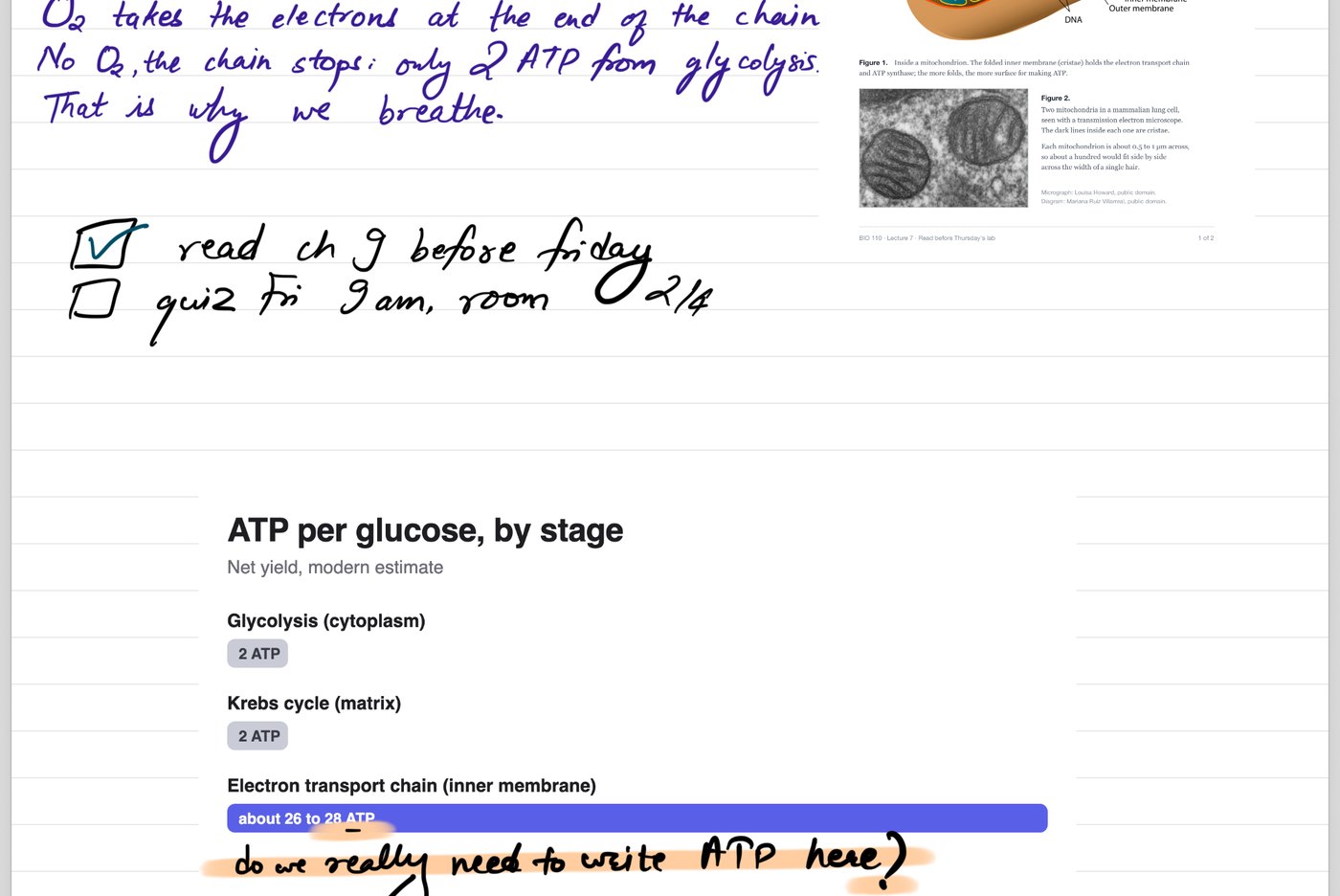
End a line with a question mark and pause. Tap the dotted line and the answer gets written underneath, in blue so it never mixes with yours.
not always right, but it keeps me writing
Pen Friend is a free notebook for iPad. You write with the Pencil, flick the page, and paste it on your Mac or Windows PC a second later, as the picture or as text.
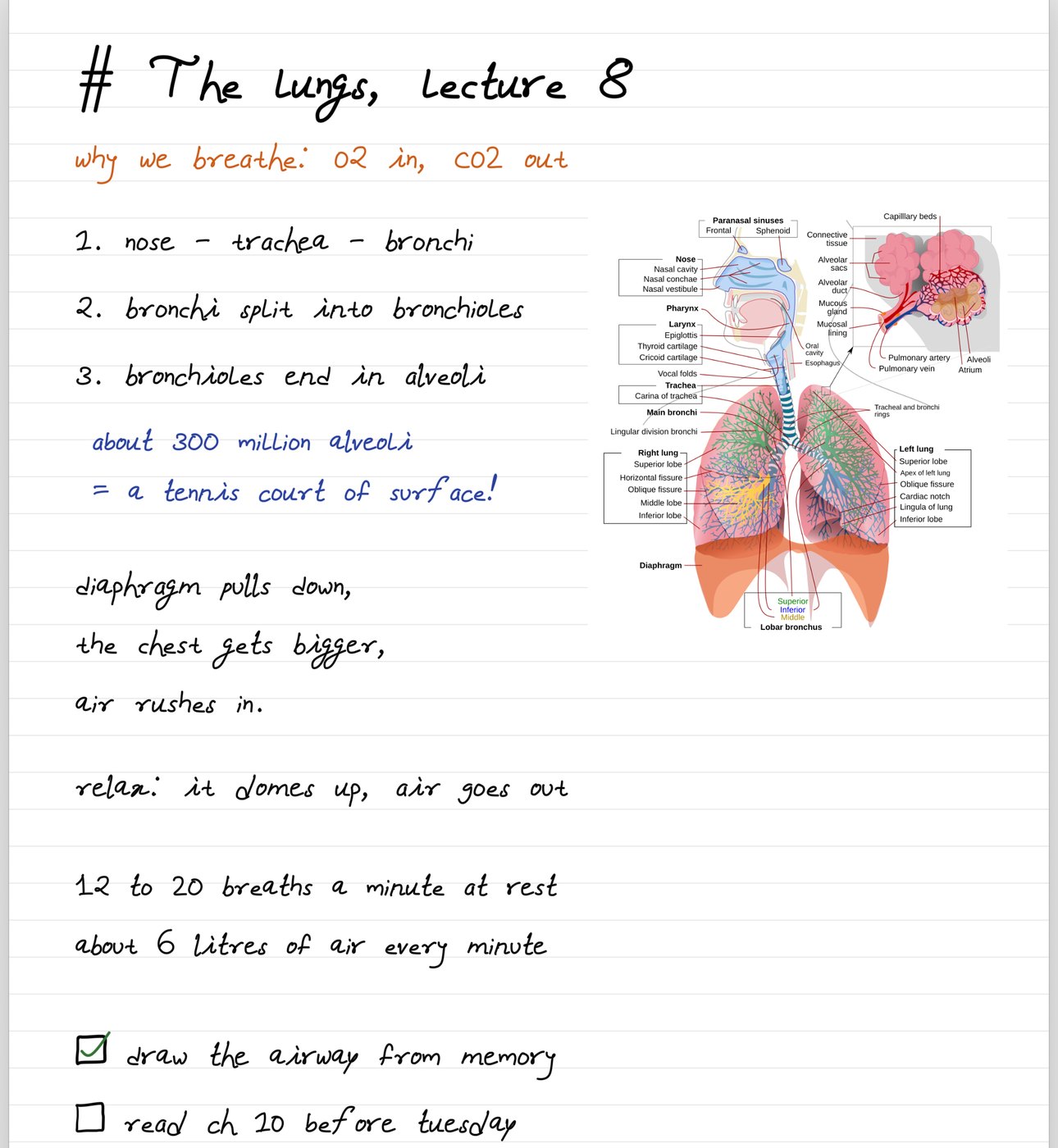
Swipe the page up on the iPad and it's already on the Mac clipboard. Hit paste in a message, a doc, an email, wherever. Nothing to install on the Mac for that, and on Windows a small free companion does the same. How the flick works
End a line with a question mark and pause. Tap the dotted line and the answer gets written underneath, in blue so it never mixes with yours.
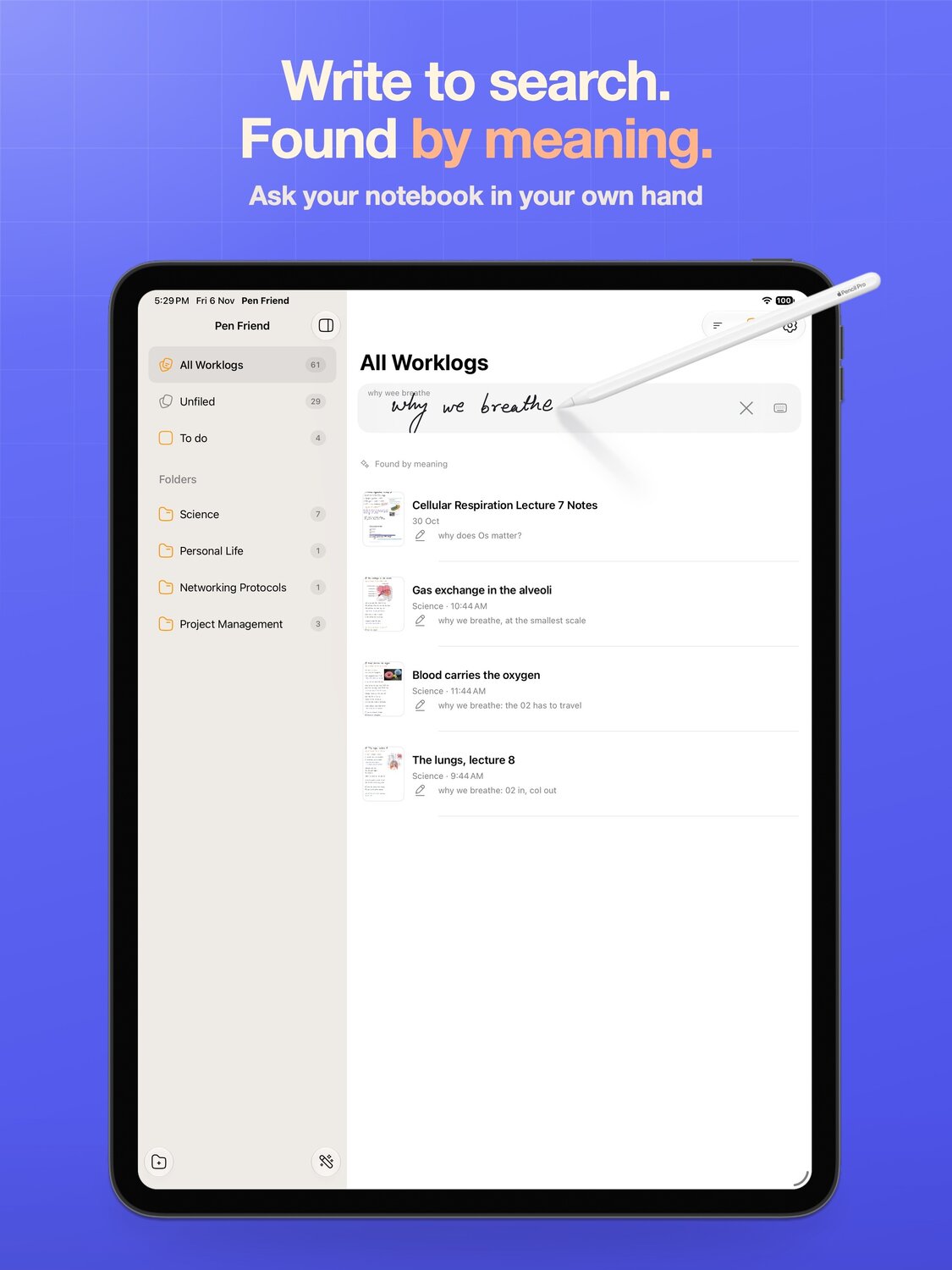
Scribble what you half remember and it finds the page by what it means, not by matching your letters.
Read the guide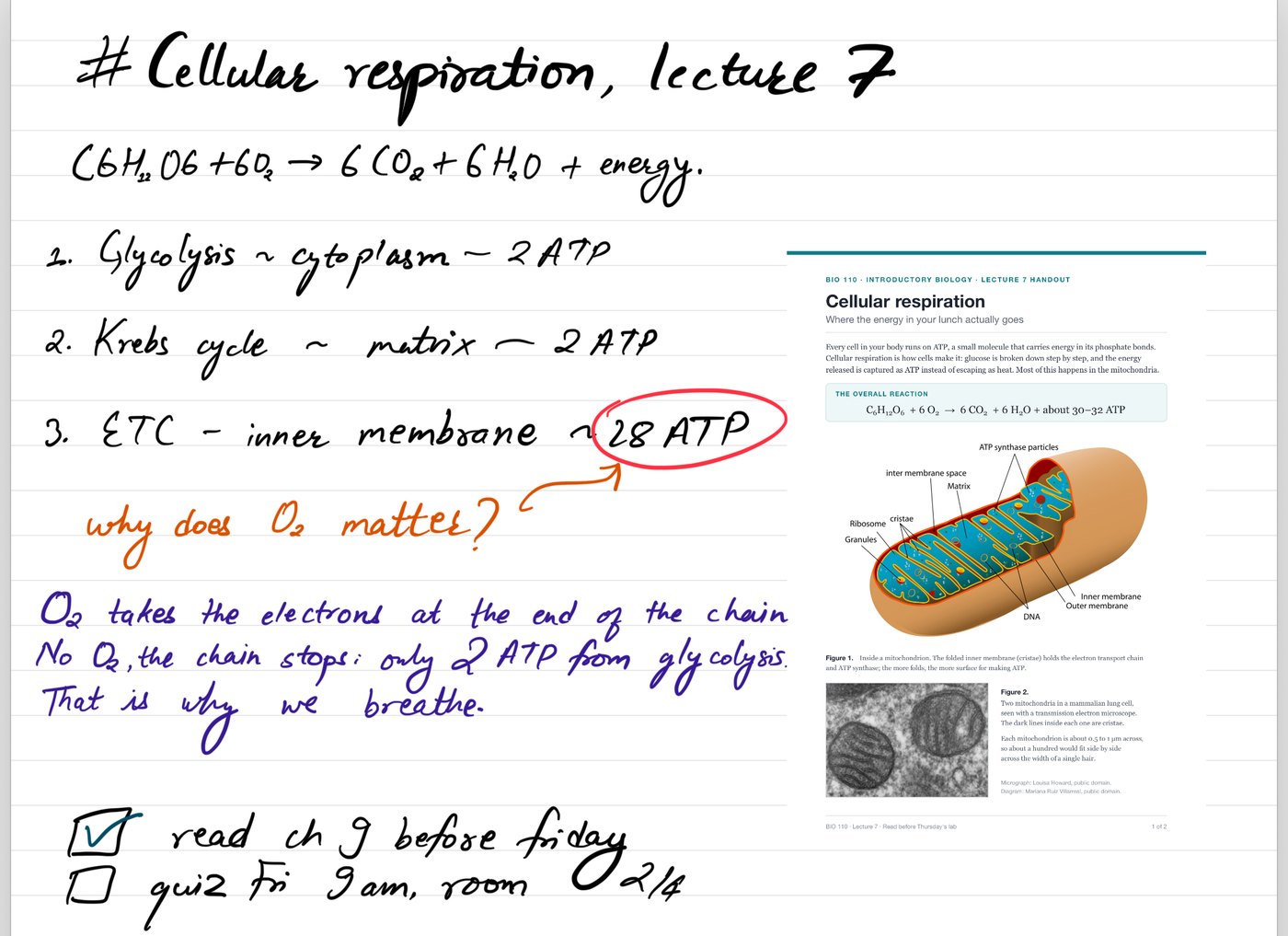
Every box you draw and leave empty shows up in one list. Tick the last one and the page drops off it.
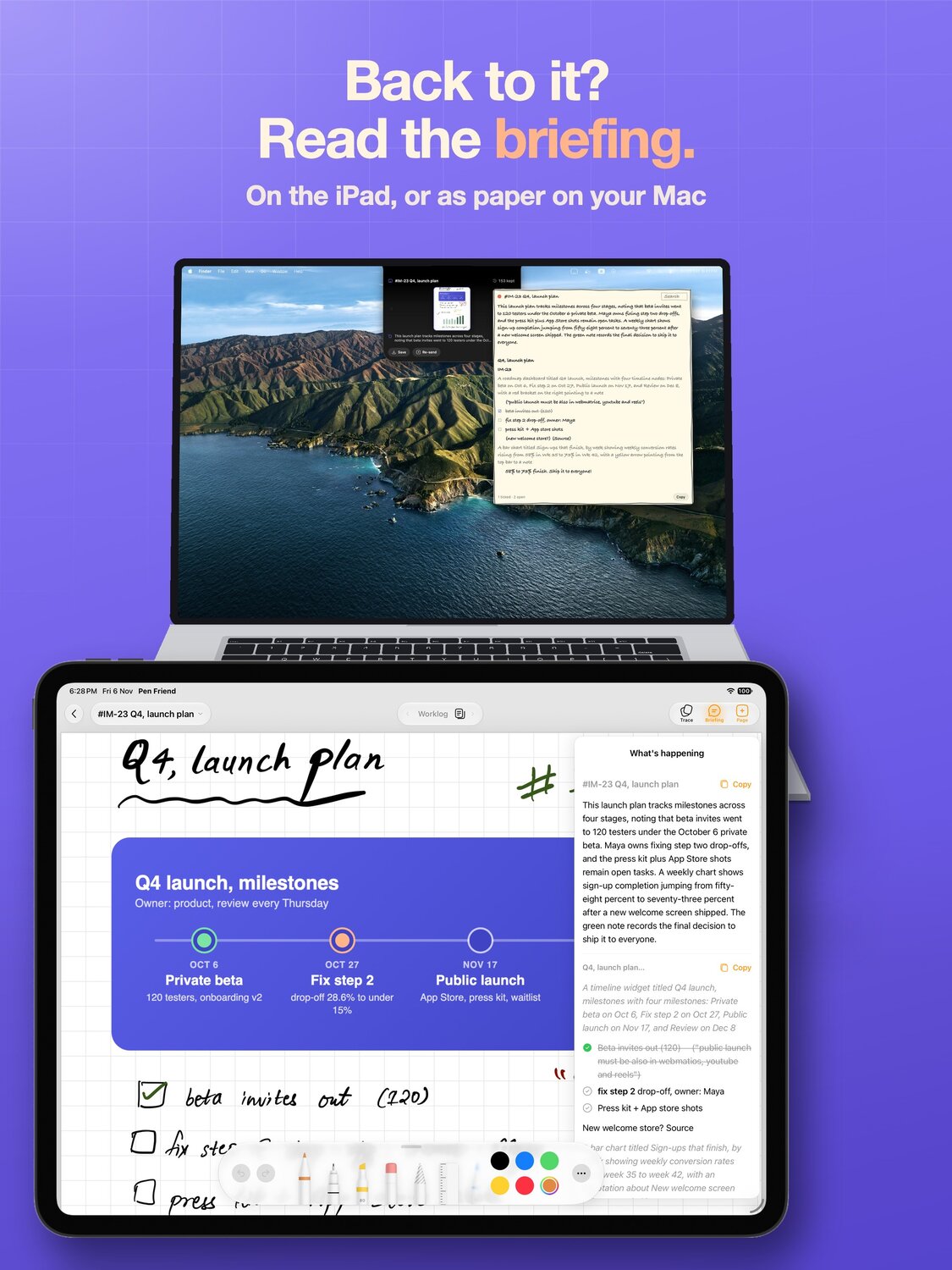
Any page comes out as clean text with its headings and lists kept, ready for a doc.
Read the guide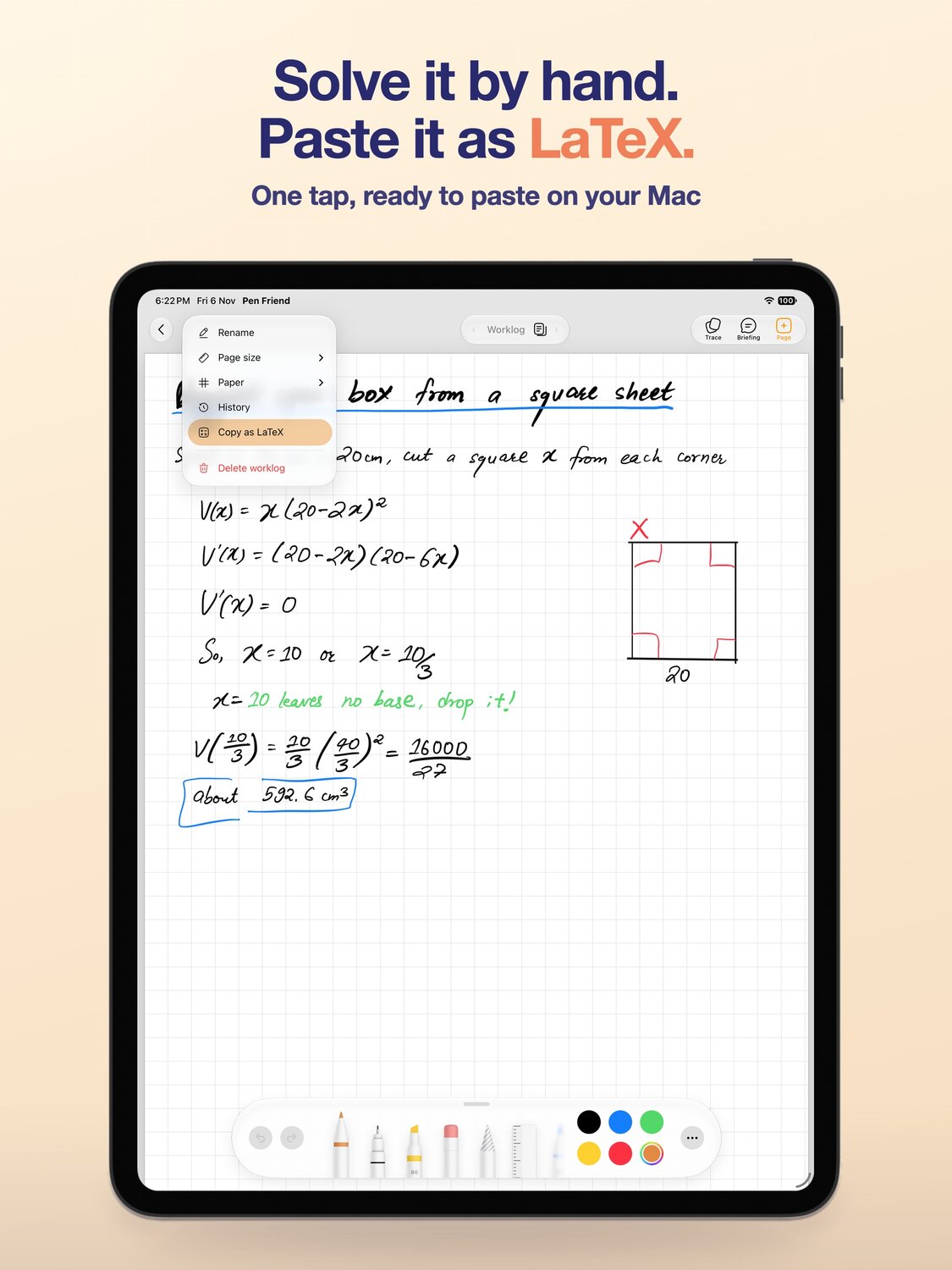
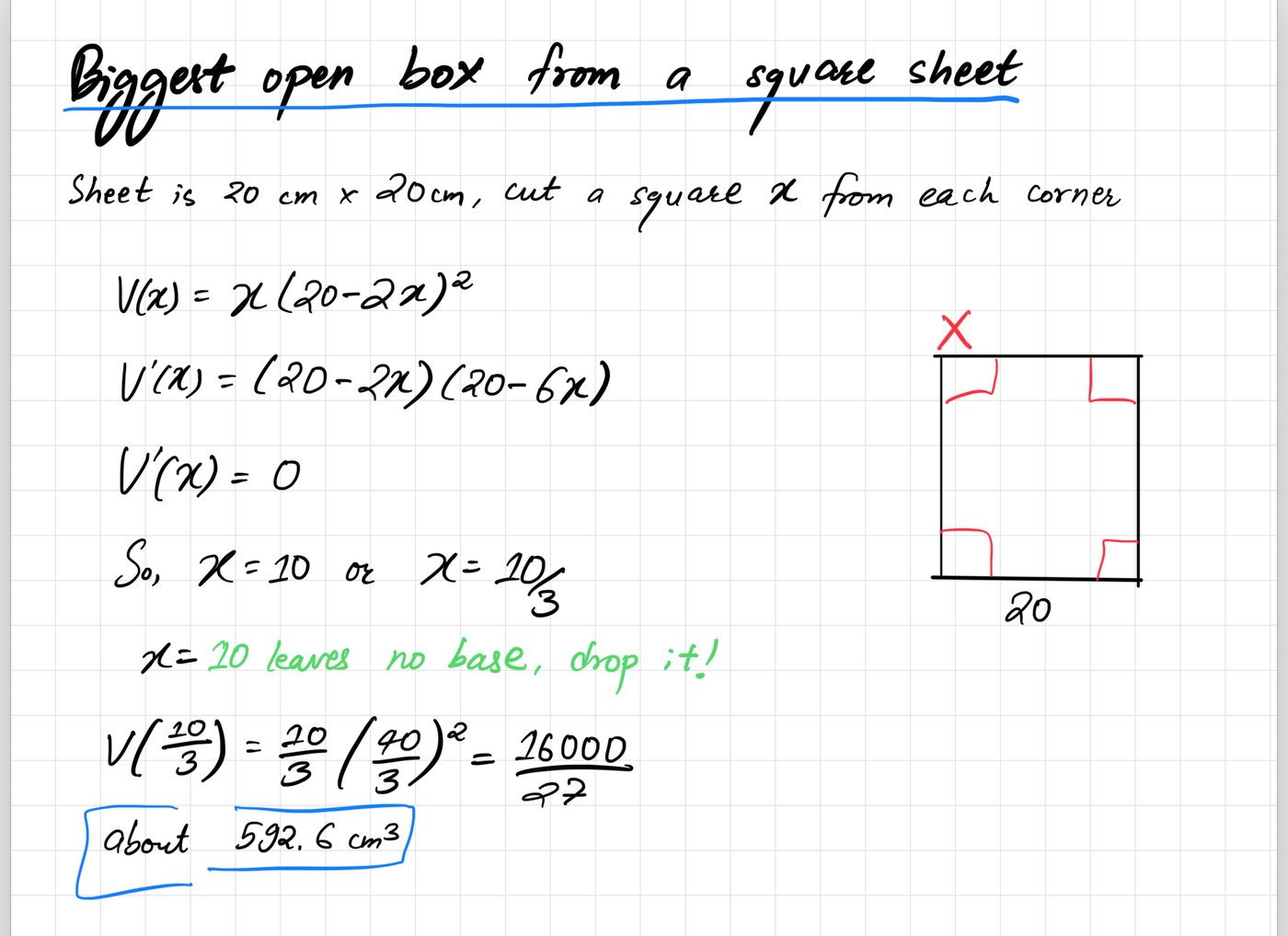
Work the problem by hand, then copy the equation as LaTeX in one tap.
Read the guide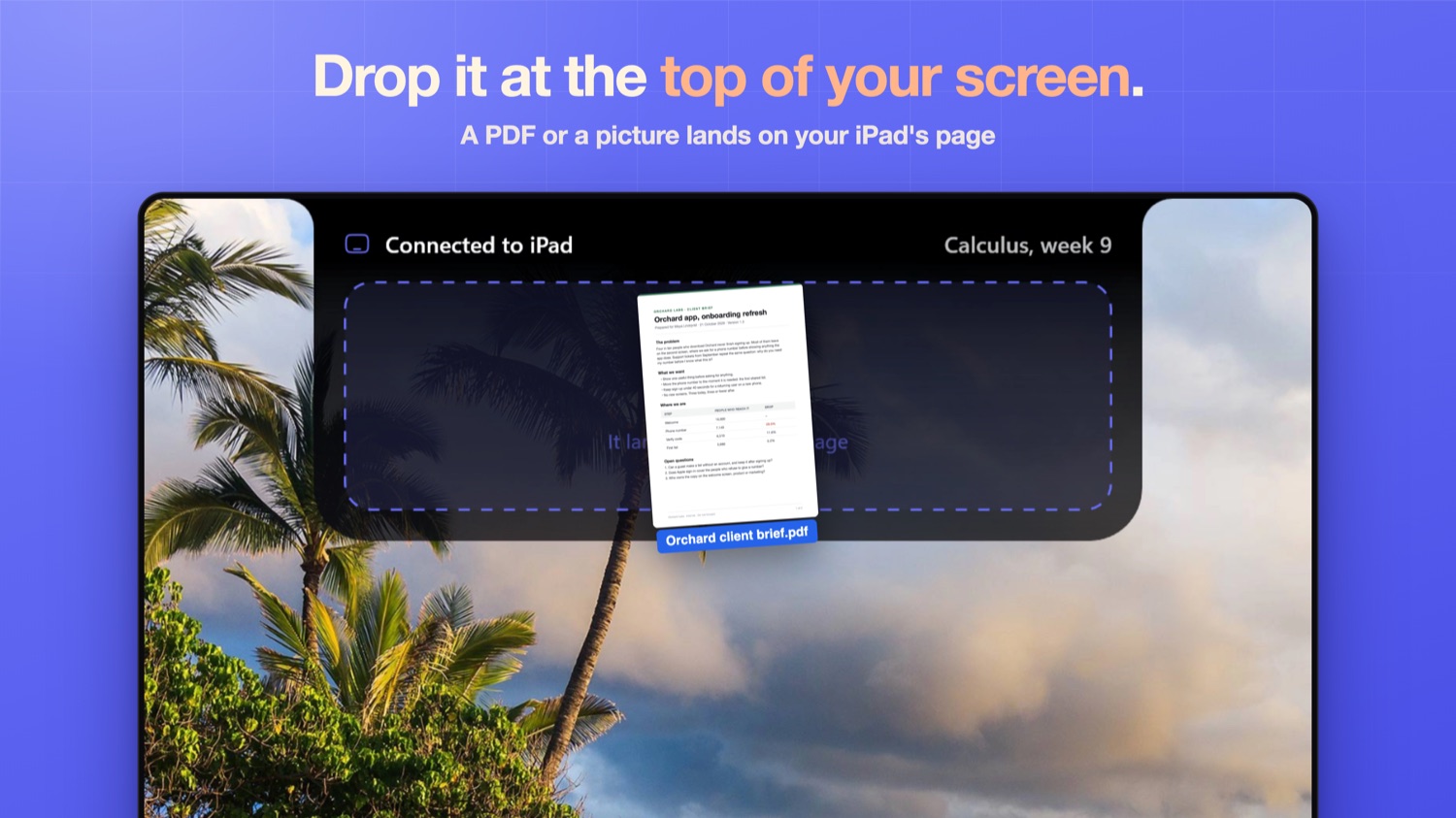
Drag a file to the top of your PC screen and it lands on the page you've got open. People kept asking, so it's here.
Write on the iPhone Duo's outer screen with the Pencil, open it, and the page is waiting, just bigger. I don't own a Duo, so I filmed this on Apple's simulator replaying a page I wrote. On a regular iPhone it's for reading your notebook.
Pen Friend is built around a specific interruption: you are taking handwritten notes, get stuck, and leave the notebook to look something up.
 Nav AI editorial, 11 October 2026, Nav AI
Freeform's paste, allow paste, airdrop loop drove me nuts too. the screenshot landing on the open page a second later is the bit I'd actually use every day.
 u/QuanTradin, r/SideProject
This looks amazing, leaving a comment here so I can receive the link
u/PancakeVE, r/SideProjectPlease include me when you launch. This use case seems perfect for how I work.
u/frastow, r/ProductivityApps"Writing is great, everything after is the problem" is exactly it.
u/No_Ant6261, r/NoteTakingWish I had something like this when I did my honours... a seamless document editor is really cool
u/Vertigras_Dev, r/NoteTakingthe "write around a screenshot" part is the clever bit imo — most tools make you pick the image OR the notes, but thinking actually happens in the margins right next to the thing.
 Simple Memo, Bluesky
nice, the round trip is what usually breaks 😅 screenshot in, page out, no airdrop in between
Loggd, BlueskyScreenshot in, annotate, flick back out. That workflow alone makes this worth it for anyone doing design reviews across devices.
 @AppLauncher_App, X
If you want your notes to actually answer you, Pen Friend is a newer iPad app designed around the Apple Pencil. It keeps ink crisp when you zoom, turns handwriting into searchable text, and even solves math with working shown right on the page. It also syncs seamlessly with Mac without using Sidecar.
 Facebook's answers, "Best Apple Pen Note Taking App", Facebook
For something different, Pen Friend turns the page into an AI assistant — it answers questions in your own handwriting, solves math with working shown, and types up every page with headings.
Facebook's answers, "Best iPad App for Writing Notes With Pencil and Converting to Typed Text", FacebookI built this one, so weigh it accordingly.
Where GoodNotes still wins outright: Pencil feel and document markup, years of polish that mine does not have.
Pen Friend searches your handwritten iPad notes by what they mean. Write the question with the Pencil and it finds the page, not just matching words.
Read itWork a problem by hand in Pen Friend, ask for help in ink when you get stuck, then copy the equation as LaTeX in one tap, ready to paste anywhere.
Read itPen Friend types up every handwritten page as clean text, headings and all, and one flick sends it to your Mac clipboard to paste wherever you work.
Read it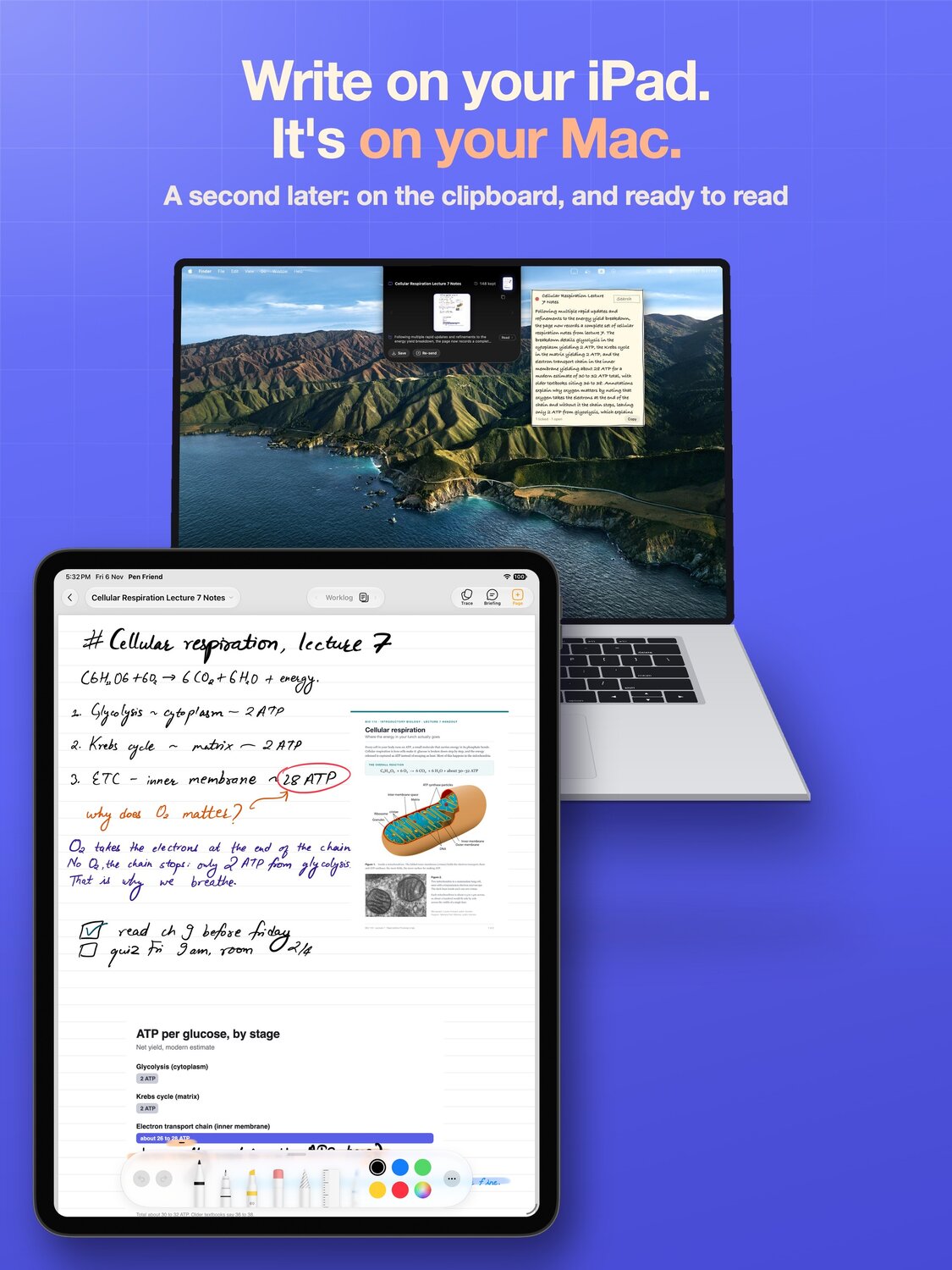
Pen Friend and its free Mac companion move pages between iPad and Mac over your own network: screenshots onto the page, finished pages onto the clipboard.
Read it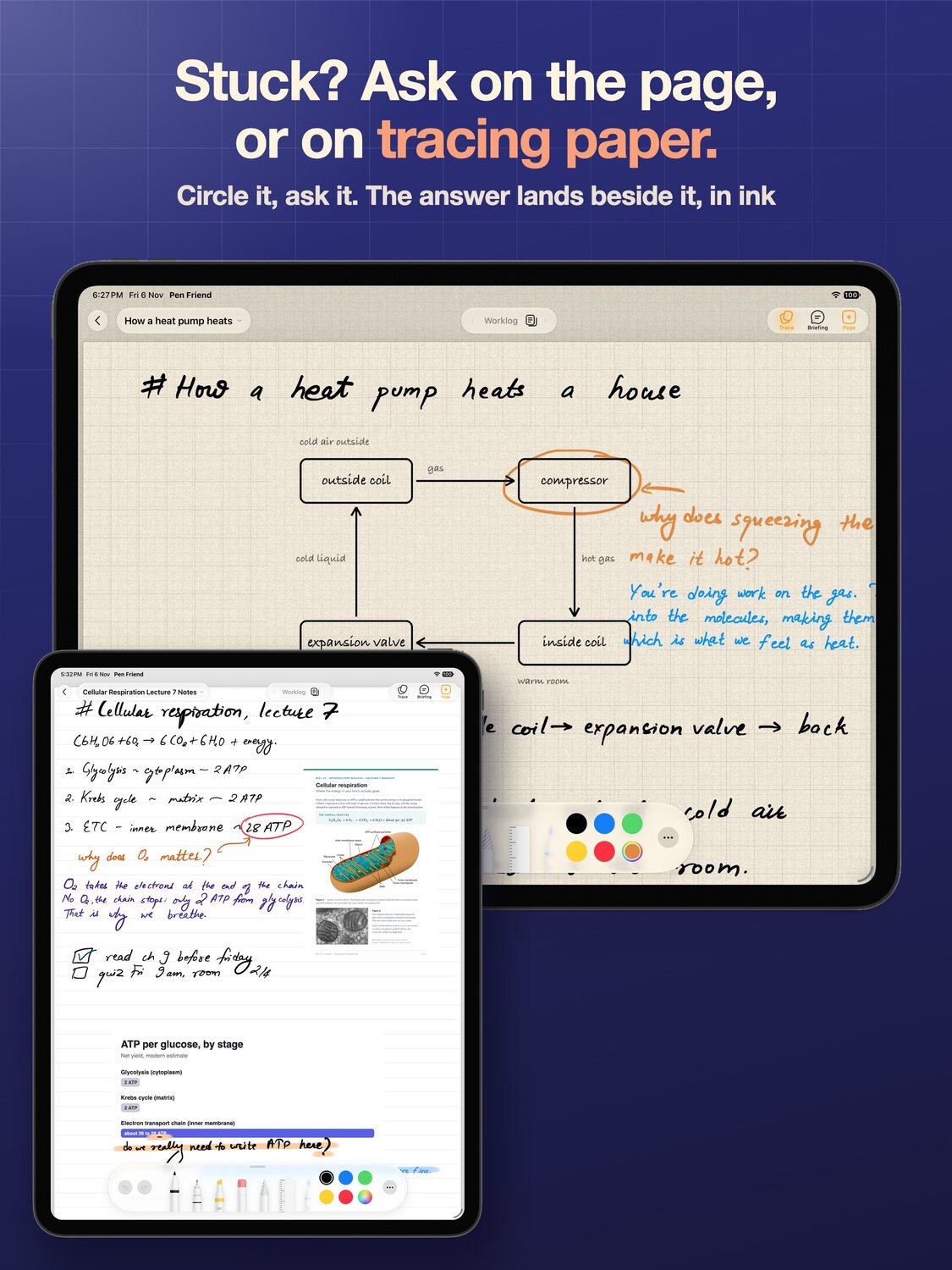
An honest GoodNotes alternative for people whose work is on a Mac: free, no account, pages on the Mac in a second, and the places GoodNotes still wins.
Read itWrite your question on the page, end it with a question mark, and pause. A dotted line appears under it. Tap the line, and the answer is written beside it in handwriting, on the page or on tracing paper.
The Trace button in the bar brings tracing paper down over the page, and tapping it again lifts it away. Anything you circle or ask on the paper leaves the page underneath as you wrote it.
The answers come from Google's Gemini, so a picture of the page is sent to it. If you would rather not see the dotted line, turn off Underline questions in Settings.
Not to get a page onto your Mac. A flick copies the page, and ⌘V pastes it on the Mac.
Turn on Pen Friend Companion in Settings to go further: flicked pages land in a folder on your Mac or PC, screenshots taken there land on your page, and PDFs go both ways. The first time, the iPad asks before joining a Mac it has not used before. Pen Friend asks for Local Network access only once the switch is on, and for Photos only if you turn on iPad screenshots.
If you said no to a permission by accident, turn it back on in Settings on the iPad, under Apps, Pen Friend.
Backup uses your own iCloud. Check that you are signed in to iCloud on the iPad, that iCloud Drive is on, and that there is free iCloud storage. Then open Settings in Pen Friend and choose Sync Now.
If the error stays, send me the exact words it shows and I will look into it.
Pen Friend reads your pages with Google's Gemini to write titles, briefings, clean text, answers and search results. The privacy policy lists exactly what is sent and when.
Deleting the app deletes everything it stored on the iPad. The iCloud backup is deleted in Settings on the iPad, under your name, iCloud, Manage Account Storage.
More on the support page.
Hi, I'm Bishwas. I make Pen Friend on my own, from Nepal.
It started as my worklog. I write everything by hand on an iPad next to my Mac, and I was losing a silly amount of time moving pages between the two. So I fixed that for myself, and then strangers on Reddit started asking for things, PDFs first, then Windows, and most of it is in there now.
There's no account and no ads. Your pages stay on your iPad and back up to your own iCloud. When it answers or briefs a page, a picture of that page goes to Google's Gemini, and the privacy policy spells out what goes.
If something breaks, write to yo@bishwas.net. I read all of it.
Bishwas
Pen Friend: An iPad Notebook with Answers in InkNav AII take notes by hand on an iPad while I work on a Mac. Nothing kept me on the page, so I built this.r/SideProject, 36 upvotes, 34 commentsI take notes by hand on an iPad next to a laptop. Every step of getting stuff on and off the page was a workaround, so I built the joints.r/ProductivityApps, 3 upvotes, 11 comments I built a free iPad handwriting notes app that puts the page on your MacMacRumors ForumsMade my own iPad notebook because GoodNotes was almost what I wantedr/NoteTaking, 18 upvotes, 17 commentsPost by @bishwasbhBluesky, 7 likes
 Best iPad note taking app? Not Apple Notes, not GoodNotesYouTube, 1,409 viewsI Built a GoodNotes Alternative for My iPad and Mac WorkflowYouTube, 109 views
 A GoodNotes alternative that actually works with your MacTikTok, 81 likesMy whole iPad and Mac workflow is one page nowTikTok, 27 likes
 Best iPad note taking app? Not Apple Notes, not GoodNotesInstagram, 39 likesI stopped using Apple Notes and GoodNotes on my iPadX, 6 likes, 258 viewsUPDATE: the iPad notebook that puts your handwritten page on your Mac now does PDFs, and the Mac app moved into the notchr/SideProjectShipped last week after four trips through review. Here is the full walkthrough of what I built, and why half of it came from two DMsr/buildinpublicthe fastest prompt i've found for UI changes isn't a promptr/vibecoding, 7 upvotes, 10 commentsNot a game dev, but I shipped my first solo app this year and the last 10% took longer than the first 90%r/SoloDevelopment
 Handwriting vs Typing Notes: Study GuideScribd